01
Upload multiple images
Add two or more photos, screenshots, product images, or graphics to the Piceclip canvas.

Upload several images to one canvas, select each image independently, customize it, arrange the complete layout, and download everything as one finished image.
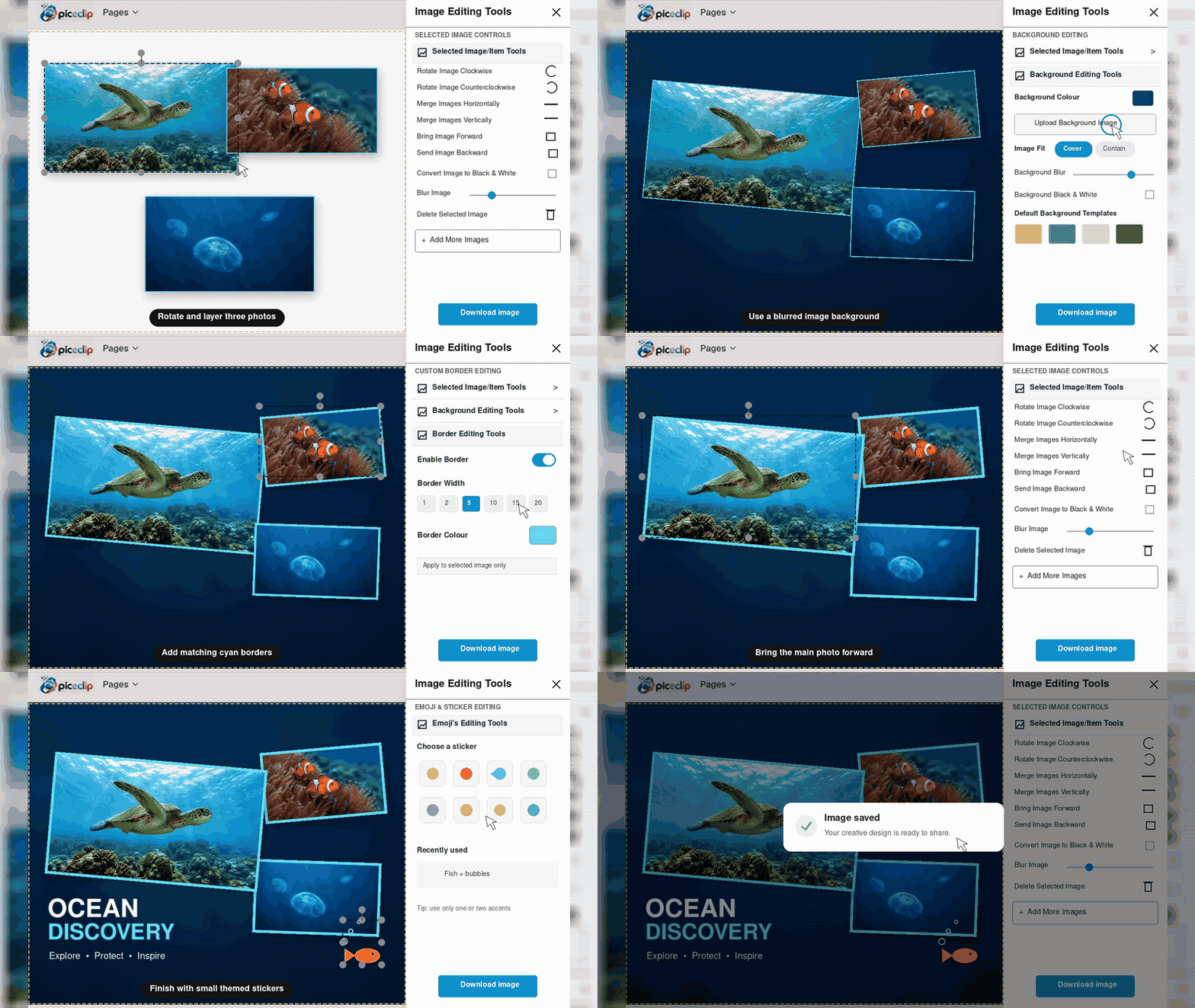
Selected image tools
Use the existing Piceclip editor to control every uploaded image individually before creating the final composition.
Add two or more photos, screenshots, product images, or graphics to the Piceclip canvas.
Choose any uploaded image to open its individual editing controls without changing the others.
Resize, rotate, adjust colors, apply filters, add a border, or change its layer position.
Position all edited images together and download the complete design as one high-quality image.
Selecting an image gives you control over that image while the rest of your composition remains unchanged.
Change the size and placement of each image independently on the canvas.
Rotate one selected image clockwise or anticlockwise without affecting the rest.
Control RGB, brightness, contrast, blur, and grayscale separately for every image.
Bring one image forward or send it backward to build overlapping compositions.
Include text, emojis, borders, and other details to complete your design.
Download the entire finished canvas after editing every element the way you want.
Use the dedicated side-by-side guide when your main goal is to place images neatly next to each other.
Combine Images Side by SideYes. Select an image on the Piceclip canvas to use its individual controls. Changes such as rotation, filters, color adjustments, borders, size, and position apply to the selected image without changing the others.
Yes. You can upload and work with multiple images on the same canvas, arrange them into your preferred layout, and download the completed composition as one image.
Yes. Each image can be resized, repositioned, and rotated independently, so portrait and landscape images can be used in the same design.
Yes. Piceclip includes layer controls that let you bring a selected image forward or send it backward.
Yes. Piceclip is free to use in your browser and does not require an account or sign-up.
Upload your images, customize each one separately, and download your finished composition with Piceclip.
Open Piceclip Editor