01
Upload product photos
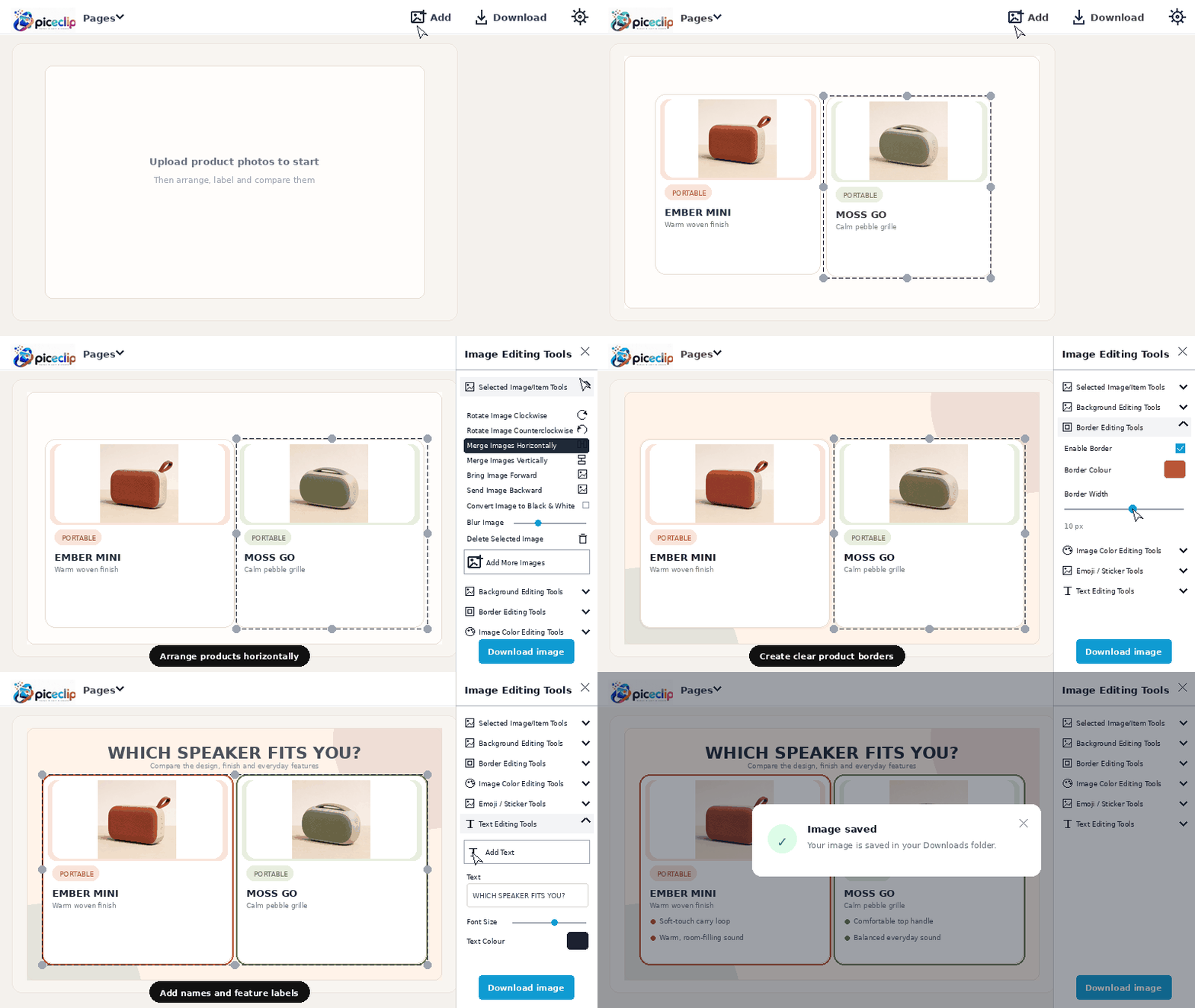
Add two or more product images that you want to compare on the same canvas.

Compare products visually by placing photos next to each other, adding names, prices, features, backgrounds, and borders, then downloading the finished comparison as one image.
Selected image tools
Turn separate product photos into one clear comparison graphic in four simple steps.
Add two or more product images that you want to compare on the same canvas.
Place products horizontally, resize each one, and keep the visual balance clear.
Include product names, prices, features, borders, colors, and a helpful heading.
Export the complete product comparison as one high-quality image ready to share.
Combine product photos and comparison details in a layout that viewers can understand quickly.
Label every product clearly so viewers can identify each option immediately.
Add short feature points that make important similarities and differences easy to scan.
Place prices, discounts, or offer details beside the relevant product when needed.
Resize and align product photos to create a fair, organized visual comparison.
Use background colors, spacing, and borders to separate products and improve readability.
Move images forward or backward and position decorative elements around the products.
Start building a product comparison without creating an account.
Create comparison graphics from a phone, tablet, laptop, or desktop browser.
Add text, filters, borders, backgrounds, emojis, and layered visual details.
Use the editor without an account and with minimal unnecessary data collection.
Use the dedicated image-combining guide when you only need to place photos horizontally without building a full product card.
Combine Images Side by SideOpen Piceclip, upload your product photos, arrange them side by side, and add text for product names, prices, or key features. You can then customize the background, borders, spacing, and colors before downloading the complete comparison as one image.
Yes. You can upload multiple product images to the same Piceclip canvas and arrange them into a wider comparison layout.
Yes. Use Piceclip's text controls to add product names, model details, prices, feature points, or other comparison information.
Yes. Select an individual product image to resize, reposition, rotate, recolor, filter, or add a border without changing the other images.
Yes. You can download the finished comparison as one image and use it for social posts, presentations, buying guides, or other visual content, provided you have permission to use the product photos and information.
Yes. Piceclip is free to use in your browser and does not require an account or sign-up.
Upload your product photos, arrange the comparison, add useful details, and download one finished image with Piceclip.
Open Piceclip Editor